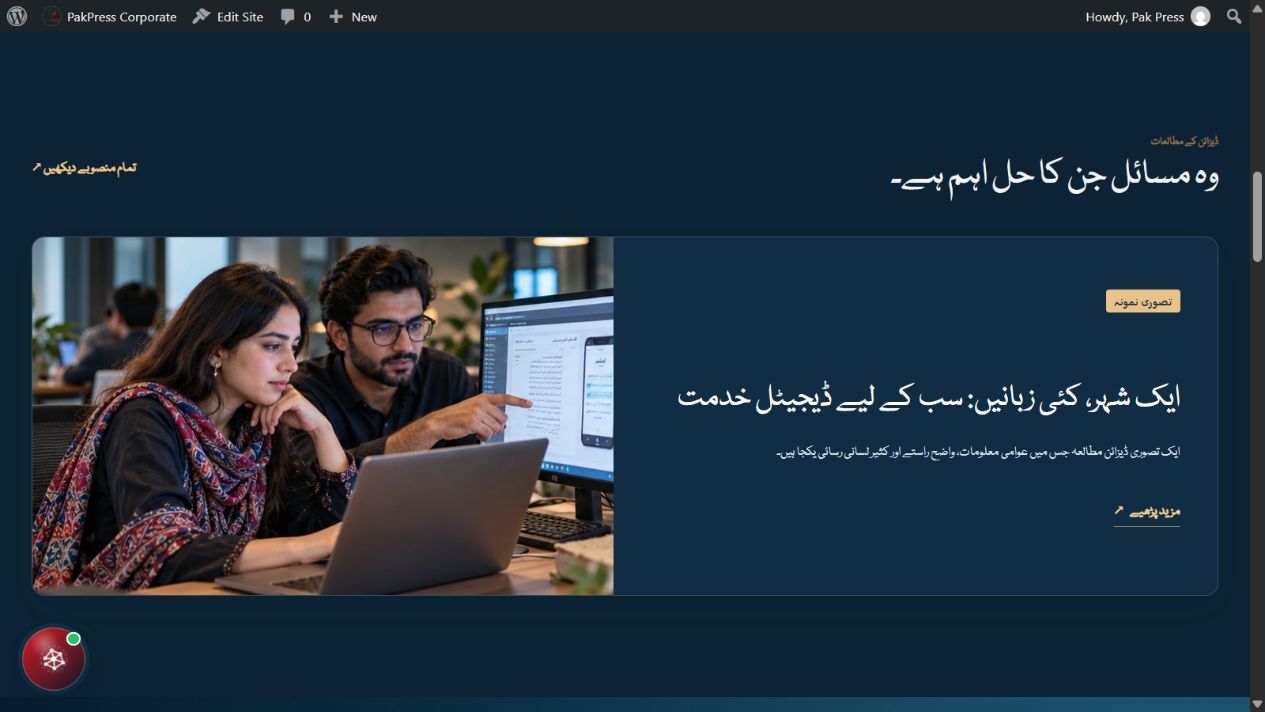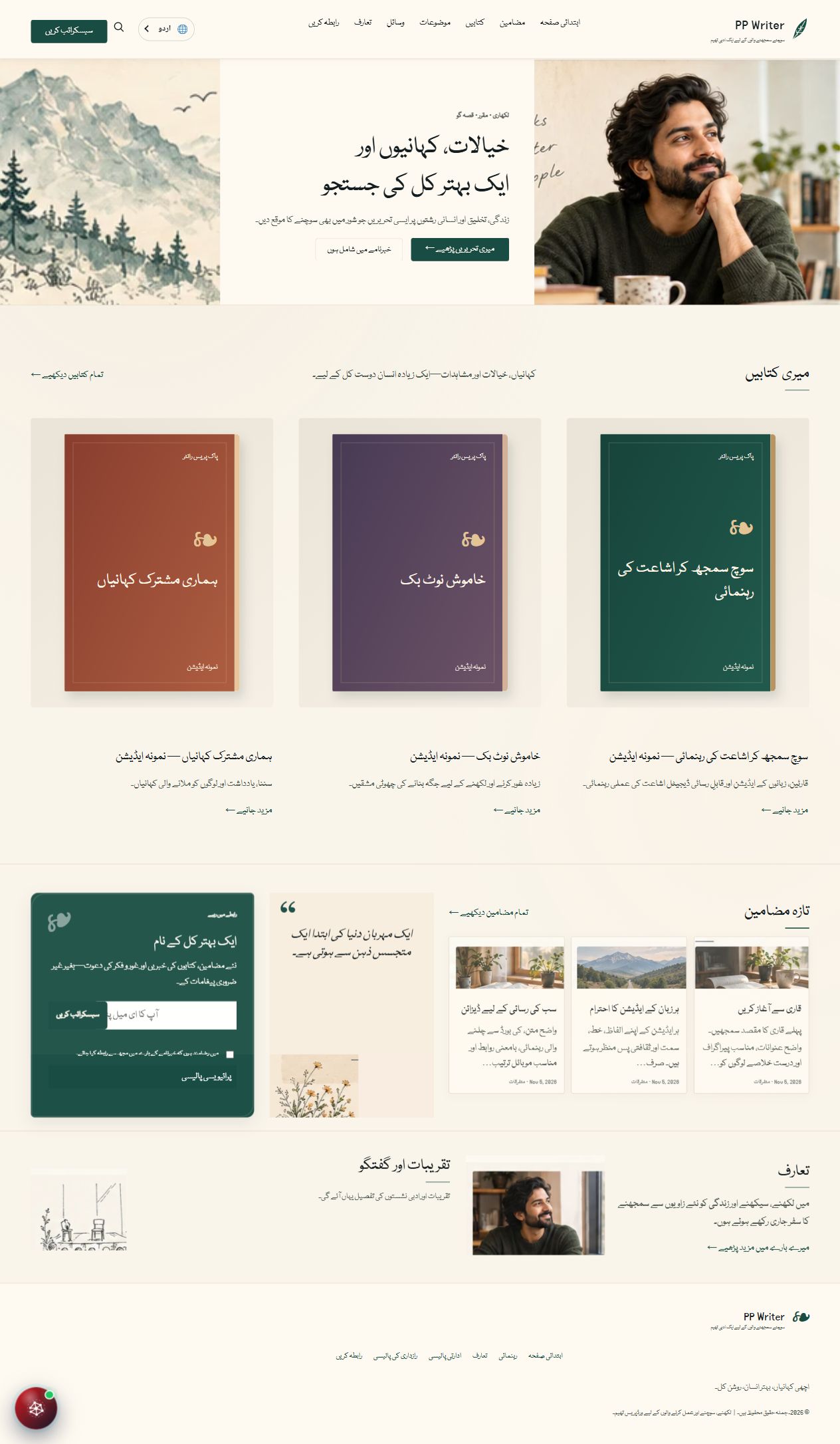
Built in Pakistan. Made for your language.Explore live demos
PakPressDOWNLOAD CENTER

THE PAKPRESS TOOLKIT

Your next chapter
starts here.

Choose your tools. Shape your publication. Start with our free WordPress foundations and explore a collection built for newsrooms, magazines, businesses and writers.

4 original themes10 language editionsWordPress native
Publishing across languages

English · Urdu · Sindhi · Arabic · Persian · Punjabi · Saraiki · Balochi · Pashto · Dari

01 / FREE FOUNDATIONS

Start with the essentials.

Three connected plugins.
A shared foundation for your publication.

Pre-release downloads. These development packages are for testing on a separate WordPress installation. Stable releases will be identified here when available.

01Free · Pre-release

PakPress Core

The shared foundation for language settings, typography and the PakPress control center.

v0.48.3-rc11.48 MB
Install first
Download ZIP
Requirements & file verification

WordPress 6.6+ · PHP 7.4+
License: GPL-2.0-or-later

SHA-25666d35f68692855504dcd092eb74a5ef3fc2e65073c9471a85b1e97887abb410a
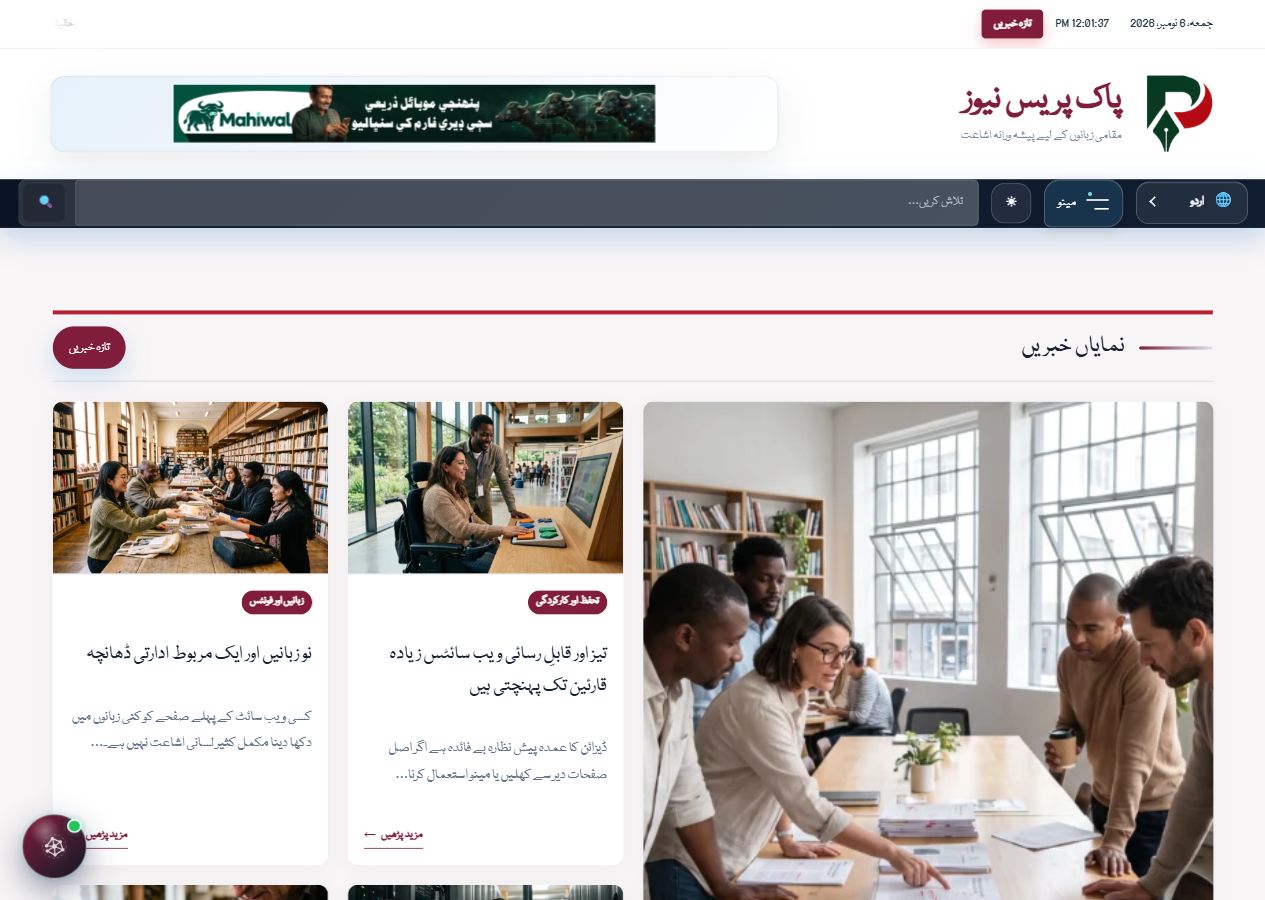
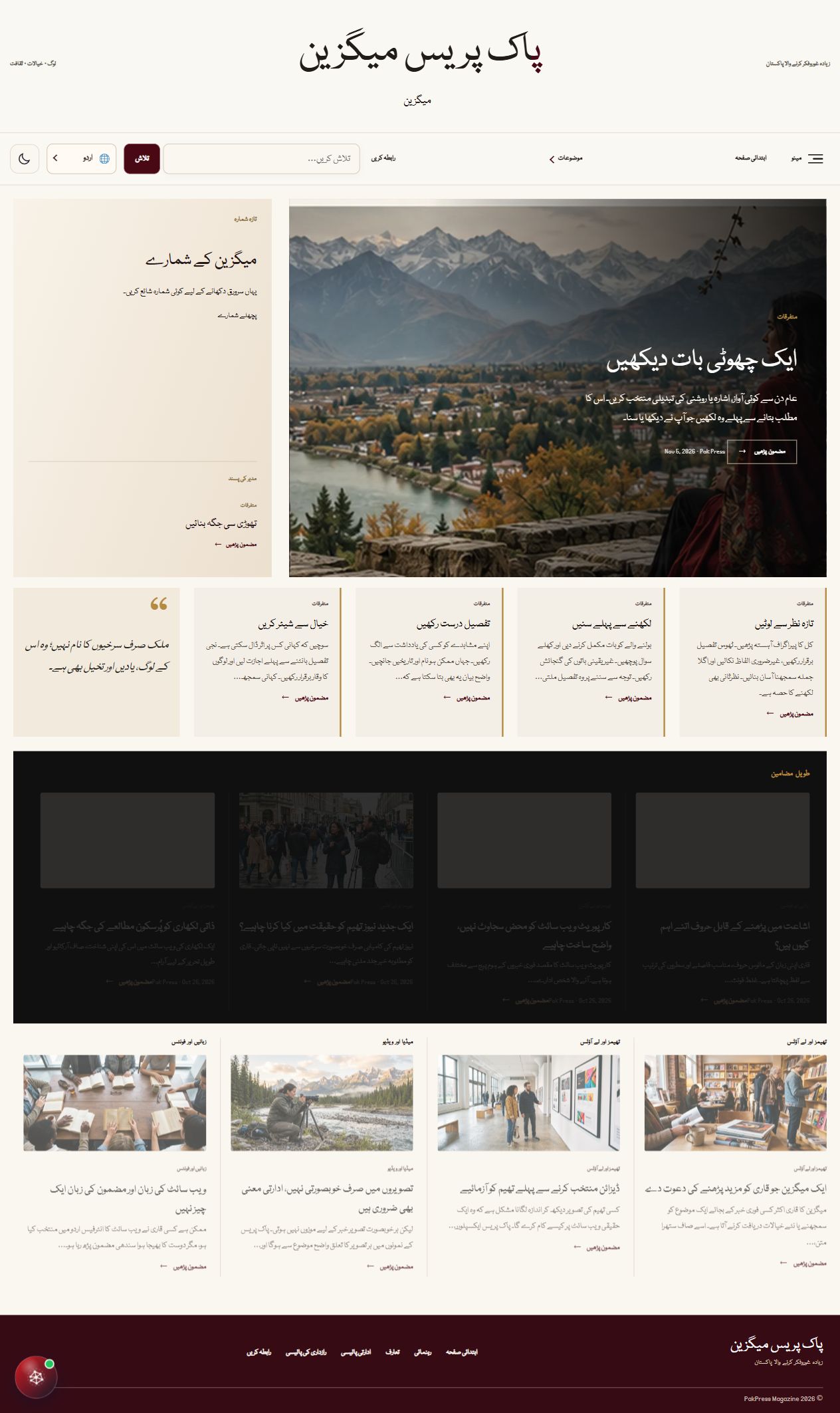
02Free · Pre-release

PakPress Multilingual

Connect translated content and manage language editions within WordPress.

v0.1.0-alpha174 KB
Install after Core
Download ZIP
Requirements & file verification

WordPress 6.6+ · PHP 7.4+
License: GPL-2.0-or-later

SHA-2565499738a8ba69f9b4d54a91d1ff04787b41ad6da509ebca48e98e6f0ed4c47f0
03Free · Pre-release

PakPress Language Center

Bring language management into the shared PakPress admin experience.

v0.30.015 KB
Requires Core
Download ZIP
Requirements & file verification

WordPress 6.6+ · PHP 7.4+
License: GPL-2.0-or-later

SHA-2567451e596db5d522865631b48f47bf2726895bd3c33ac9b7aee76d0d6264bed19

02 / PREMIUM COLLECTION

A home for every kind of story.

Explore four working demos.
Paid downloads will open with the store.

EXTEND YOUR TOOLKIT

More possibilities.
One ecosystem.

Additional publishing plugins will be available separately through the PakPress store.

Pricing and purchase access coming soon
  • AI LabEditorial AI toolsComing to the store
  • AI ChatbotConversational assistanceComing to the store
  • Editorial IntelligenceEditorial workflowsComing to the store
  • Reader IntelligenceReader experienceComing to the store
  • SEO IntelligenceSearch publishing toolsComing to the store
  • Smart MediaMedia workflowsComing to the store
  • Video HubVideo publishingComing to the store
  • Language QualityLanguage review toolsComing to the store
  • Newsroom BridgeNewsroom workflowsComing to the store

03 / GET STARTED

From download to WordPress.

A few clear steps to set up
your PakPress foundations.

  1. 1

    Start on a test site

    Use a separate WordPress installation for these pre-release packages. If updating an existing site, first back up its files and database.

  2. 2

    Install the foundation plugins

    Go to Plugins → Add New Plugin → Upload Plugin. Upload each ZIP without extracting it. Install Core first, then Multilingual and Language Center, and activate them.

  3. 3

    Add your theme

    When you have a theme package, go to Appearance → Themes → Add New Theme → Upload Theme. Activate one theme per site.

  4. 4

    Make it yours

    Choose your language editions, set your fonts, configure menus and add your own content. A theme ZIP does not include the live demo's database, articles or uploaded images.

GOOD TO KNOW

A little clarity
before you begin.

What is free, and what is paid?

Core, Multilingual and Language Center are free downloads. The four PakPress themes and additional publishing plugins form the paid collection. Purchases are not open yet.

Are these stable production releases?

Not yet. The available foundation packages are pre-release builds with their original version numbers. Test them on a separate installation before considering them for a live site.

Will installing a theme copy its demo?

No. Theme and plugin ZIPs contain software and bundled assets. They do not transfer the live demo's content, uploaded media, menus or settings. The four public demos let you explore the experience before choosing a theme.

Do I need every PakPress plugin?

No. Install the shared foundation and only the tools required by your setup. Language Center requires Core. Optional AI and video features may need their own provider configuration.

How can I verify a download?

Each free package lists its SHA-256 checksum under “Requirements & file verification.” Compare the checksum of your downloaded ZIP with that value. The checksum list also provides all three values in a text file.

Where will paid downloads be available?

The PakPress store is being prepared. This download center will link to the purchase and customer download experience when it is ready. Paid package files are not publicly hosted here.

EXPLORE BEFORE YOU CHOOSE

See your next publication in action.

Visit the four live demos, each opening in Urdu with other editions available.

Explore live demos ↗